Latest Updates NAXA ELECTRONICS
NAXA ELECTRONICS
BLOG & INSIGHTS
Industry Insights, Product Guides & Technology Trends
Explore Products


Industry Insights, Product Guides & Technology Trends
Explore Products
Professional-Grade Gaming Peripherals & Accessories
View Accessories
Crystal-Clear Audio for Living Rooms & Beyond
Discover Audio
Intelligent Devices for the Modern Connected Lifestyle
Smart HomeChoosing an alarm clock radio sounds simple until you compare the details. One model may offer a clear display and gentle wake-up tones, while another has easier controls or better radio reception. Think about where it will sit: a bright screen can feel harsh on a dark bedside table, and tiny buttons are awkward before sunrise. Small details matter. They shape how the clock feels every day.
Alarm Clock Radios can combine a dependable alarm, FM listening, and useful extras, but more features do not always mean a better fit. Check whether the alarm volume is adjustable, whether the display can be dimmed, and how the device behaves after a power interruption. Some models include battery backup, but it may preserve settings rather than power the radio or display. Read the product details carefully. A spec sheet cannot tell you everything; reviews and, where possible, hands-on testing can reveal whether controls are intuitive and reception suits your room. That part is easy to overlook.
This guide explores seven practical tips for choosing a model that matches your routine, room, and budget. It considers sound quality, ease of use, display comfort, reliability, and extra functions without assuming every shopper needs the same features. A simple clock may be enough. The right choice is the one you can set confidently at night and trust to wake you in the morning. Even then, no alarm is a perfect substitute for a backup plan when waking on time is especially important.
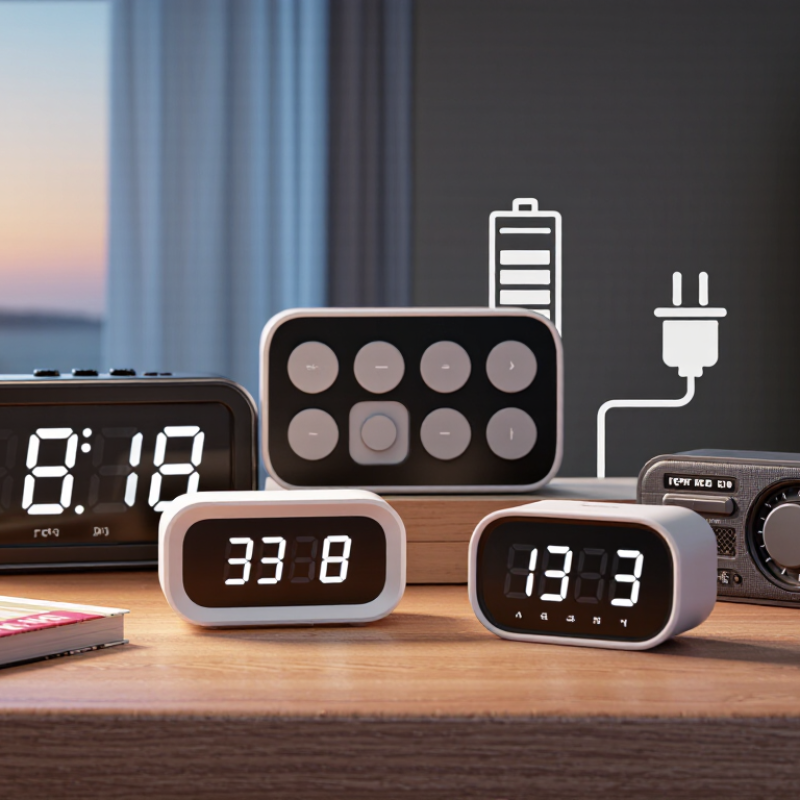
Before comparing alarm clock radios, notice what your mornings actually require. Record your usual bedtime, wake-up time, and how often your schedule changes. A steady weekday routine may suit a simple alarm with clear controls. Rotating shifts call for alarms that are easy to reset without fumbling in the dark. That matters. If you share a room, consider whether a gradual sound or a quieter setting would disturb someone else.
Think about what gets you out of bed: a familiar radio program, a buzzer, or both. Check that the display is readable from your pillow, especially if you avoid bright light at night. If you tend to snooze repeatedly, choose controls you can find by touch and set the alarm away from arm’s reach. Small details help. It is tempting to plan for an ideal morning, but your real routine may be messier. Note whether you wake before sunrise, need different alarms on weekends, or often lose track of time while getting ready. Those habits give you a more useful starting point than a long feature list.
Compare alarm modes before counting extra features. A buzzer is dependable when radio reception is weak, while a radio alarm offers a gentler start. Dual alarms help partners with different schedules. Weekday settings, gradual volume, and a snooze button are useful only if they are easy to operate half-asleep. Test the controls at night. A tiny button can feel confusing in the dark.
Radio details matter, too. Check whether the clock receives AM, FM, or both, and whether it stores presets. A sleep timer can switch the radio off after you drift off. Reception varies by room, so try the clock near your bed before deciding. A clear signal in a shop does not guarantee one beside a concrete wall. One feature list can look impressive, but it cannot show how sharp the alarm feels at 6 a.m.
Pew Research Center’s 2023 Mobile Fact Sheet reports that 90% of U.S. adults own a smartphone. That figure does not show how people wake up, but it makes a separate clock a practical backup when a phone is charging elsewhere. Look for battery backup to preserve settings during a power outage; it may not keep the display lit. I would still check the manual, because “backup” can mean different things across models.
Tip 1: Assess sound quality at the volume you will actually use. A radio that sounds clear in a shop may become tinny beside your bed. Listen for speech clarity, steady reception, and a gradual alarm setting. Test it at night. A sudden, sharp tone can feel jarring at dawn, while a gentle sound may be too easy to sleep through.
Tip 2: Check whether the display suits your room. From your pillow, you should be able to read the time without squinting. Look for adjustable brightness; a bright blue glow can bother some sleepers, though preferences vary. If possible, view the clock in a dim room before buying. Small details matter.
Tip 3: Try the controls before deciding. You may need to set the alarm while half-awake, so buttons should feel distinct and easy to find. Check that snooze is simple to reach, but not so easy that you press it by accident. A clear setup process helps, yet instructions can still be confusing. I would test the settings twice.
Power options are more than a convenience; they determine whether your alarm survives an outage. The U.S. Energy Information Administration’s Electric Power Annual reported an average 5.5 hours of customer interruptions in 2022, including major events. A clock with battery backup can preserve your alarm settings when the outlet goes dark. Check whether batteries run the display and radio, or only save the time. Keep it simple. If you choose a rechargeable model, confirm its stated backup duration and how long recharging takes. I may be giving backup power extra weight; a dependable outlet may matter more in some homes.
Size affects daily use. Measure the bedside space, then check whether buttons are easy to reach in dim light. A large display can be helpful, but bright digits may disturb a dark room. Small matters. For reliability, look for clear warranty terms, replaceable batteries, and controls that are easy to test. Set an alarm and briefly unplug the clock to check what survives. The EIA report also found that average interruption duration fell to 2.4 hours when major events were excluded. That figure is a national average, not a promise about your neighborhood. Test it monthly. A radio that sounds fine at midday may struggle behind a thick wall, so check reception where you will actually sleep.
| # | What to Check | Useful Details | Why It Matters | Quick Buying Tip |
|---|---|---|---|---|
| 1 | Power options | Check whether the clock uses a wall adapter, batteries, or both. Some models use batteries only for backup; battery behavior varies by model. | A backup battery may preserve the time or alarm settings during a power outage, but it may not keep the display or radio operating. | Read the manual or product specifications to confirm exactly what continues working during an outage. |
| 2 | Size and placement | Compare the clock’s listed width, height, and depth with the available bedside space. Allow room to reach buttons and connect the power cord. | A clock that fits comfortably is easier to use and less likely to crowd a nightstand. | Measure the intended spot before buying, especially if the clock has a large display or angled shape. |
| 3 | Display readability | Look for adjustable brightness or a dimmer, and check whether the time can be read from your usual position in bed. | A display that is too bright may be distracting in a dark room, while one that is too dim may be hard to see. | Check whether brightness can be adjusted or turned off without switching off the alarm. |
| 4 | Alarm controls and settings | Check how many alarms are available, whether alarm volume is adjustable, and how snooze and alarm-off controls work. | Clear, accessible controls make it easier to set the alarm correctly and silence it when needed. | Choose settings that match your routine, such as separate weekday and weekend alarms if offered. |
| 5 | Radio reception and sound | Confirm the radio bands supported and whether stations can be preset. Reception and sound quality depend on the device and its location. | Walls, nearby electronics, and signal conditions can affect radio reception; speaker sound can also vary between models. | If possible, test reception where the clock will sit and check whether the alarm can use a buzzer as an alternative. |
| 6 | Reliability and build | Review the warranty terms, return policy, user feedback, and whether the controls and power connection seem suitable for everyday use. | These checks can help you assess support and practical durability, though no single indicator guarantees long-term performance. | Look for repeated reports of the same issue, such as unreliable buttons, difficult setup, or power interruptions. |
| 7 | Extra features and connections | Check whether features such as USB charging, Bluetooth, or a sleep timer are included, and review their power requirements and limitations. | Extra functions can be useful, but they may add cost or take up space and do not replace checking the basic alarm and power features. | Prioritize the features you will actually use, and verify any charging output in the specifications before relying on it. |
A clock radio should fit the nightstand, not take it over. Measure the usable surface before shopping, including space for a lamp, water glass, and charging cable. A compact unit may suit a narrow shelf, but tiny buttons can be frustrating in a dark room. Check whether the display can dim fully, and whether the antenna has room to extend. Small details matter.
Set a spending limit around features you will actually use: clear alarm controls, dependable reception, and a readable display. Extra charging ports or multiple alarms are useful only if they solve a real need. The U.S. Energy Information Administration reported an average residential electricity price of 16.48 cents per kilowatt-hour in 2024. At that rate, a device drawing 3 watts continuously would cost about $4.33 yearly; actual use varies, so check its power rating. A paper sketch helps. I’ve misjudged that.
Before buying, compare the unit’s dimensions with your measured space and note where its cord and controls sit. A low price can be less appealing if the radio blocks an outlet or its buttons are hard to reach. Spending a little more may be worthwhile for simpler operation, though not every extra feature earns its place.
Check which broadcast bands a radio can tune before choosing features that fit your budget and bedside space.
What this means: In the United States, a typical AM tuning range spans about 1.17 MHz (530–1700 kHz), while FM spans about 20 MHz (88–108 MHz). Check local broadcast standards and the radio’s stated tuning range, especially if you want to receive a particular station.
Note your bedtime, wake-up time, and schedule changes. A steady routine may need simple controls. Rotating shifts need easy resets. Real mornings can be messy.
Choose a familiar radio program, a buzzer, or both. If you share a room, consider quieter settings or gradual sound. Small details matter.
Look for buttons you can find by touch. Place the clock beyond arm’s reach if you snooze repeatedly. It may still take willpower.
Check whether you can read the digits from your pillow. A large display helps, but bright digits may disturb a dark room. Test it at night.
It may preserve alarm settings during an outage. Check whether batteries power the display and radio, or only save the time. That difference matters.
Set an alarm, then briefly unplug the clock. See what keeps working. Repeat the test monthly. Backup claims can be easy to misread.
Measure your bedside space and check button access in dim light. Look for clear warranty terms and replaceable batteries. Keep it practical.
Test it where you sleep, not just in a bright room or another part of the home. Thick walls can weaken reception. A midday test may mislead.
Choosing the right Alarm Clock Radios begins with understanding your wake-up needs and daily routine. Consider whether you prefer a gentle alarm, a traditional buzzer, or waking to your favorite radio station, and look for controls that make it easy to set different alarms. Compare available alarm modes and radio features, then assess sound quality, display brightness, and how simple the clock is to use, especially when you are tired or adjusting settings in low light.
Before deciding, check the power options, size, and overall reliability. A battery backup can help preserve your settings during a power interruption, while a compact design may suit a crowded bedside table. Finally, choose features that fit both your budget and available space. Focusing on what you will actually use can help you find a dependable clock radio that supports a comfortable, consistent morning routine.